
Ahrefs’ study confirms that backlinks improve the discoverability of your pages across both traditional search engines and AI-powered search experiences.
However, not all backlinks work in your favor, especially toxic backlinks that come from spammy, irrelevant, or manipulative websites. These harmful links can weaken your authority, hurt rankings, and in some cases, even trigger manual penalties or make recovery from ranking drops much harder.
The problem is that many businesses either ignore harmful links completely or panic and disavow links that Google would have ignored anyway.
The real goal is not removing every bad-looking link, but identifying what is actually damaging your backlink profile.
In this guide, we’ll break down how to detect toxic backlinks, fix them strategically, and rebuild trust. At Tanot Solutions, this is exactly where precision matters most.
What Are Toxic Backlinks?
Toxic backlinks are links from low-quality, manipulative, or irrelevant websites that can negatively affect your website’s SEO performance.
These links usually exist because of outdated link-building tactics, poor SEO agency practices, spam attacks, or aggressive attempts to manipulate rankings through artificial backlink schemes.
Google does not evaluate backlinks individually in isolation. It looks at patterns.
A single weak backlink usually is not a problem. But when your backlink profile shows repeated signals of manipulation, such as hundreds of irrelevant directory links, exact-match anchor spam, or links from obvious private blog networks, it creates a trust issue.
This matters even more today because search visibility is no longer limited to blue links on Google.
AI-powered search systems also evaluate authority through contextual trust signals. If your backlink profile looks unnatural, it can weaken both rankings and your chances of being cited in AI Overviews, ChatGPT responses, and other answer engines where authority matters.
In short, toxic backlinks hurt your rankings and damage digital credibility.
Common Examples of Toxic Backlinks
Many businesses discover toxic backlinks only after rankings drop. Here are some of the most common types:
- Private blog networks (PBNs): A group of websites created primarily to pass link equity rather than provide real value to users.
- Spam directories: Low-quality directories built only for link placements, often with no editorial standards or real traffic.
- Irrelevant foreign-language websites: Links from unrelated international websites that have no contextual connection to your business or audience.
- Paid links without disclosure: Links bought purely for SEO value without proper sponsorship signals or natural editorial placement.
- Sitewide footer or sidebar links: Links repeated across hundreds of pages through templates rather than placed naturally within content.
- Comment spam and forum spam: Low-quality links dropped into blog comments or forums with no real contribution to the discussion.
- Hacked websites linking to your domain: Links inserted into compromised websites without the site owner’s knowledge, often associated with spam campaigns.
If you want a deeper breakdown of how bad links affect SEO and what separates them from high-quality editorial backlinks, our guide on bad links explores this in more detail.
Signs Your Website May Have a Harmful Backlink Profile
Toxic backlinks rarely announce themselves clearly. Most businesses notice the symptoms before they identify the cause.
The first sign is often a sudden ranking decline.
Pages that previously ranked well begin slipping without major on-page changes or content issues. Organic traffic may start dropping, even when search demand remains stable.
Another common red flag is a sudden spike in backlinks from websites you do not recognize. This often happens after poor link-building campaigns, expired agency contracts, or even negative SEO attacks.
Anchor text patterns also reveal a lot.
If your backlink profile shows too many exact-match keyword anchors instead of natural branded mentions, it can signal manipulation. For example, hundreds of links using the same commercial keyword often create a higher risk than the links themselves.
Google Search Console may also show a manual action warning if the issue becomes severe enough for direct intervention.
Some warning signs to watch for include:
- A sharp increase in links from unrelated industries
- Multiple backlinks from websites with no real content or traffic
- Large clusters of links from the same country, despite having no market there
- Thousands of backlinks appear within a short period
- Repeated exact-match anchor text patterns
How to Detect and Audit Toxic Backlinks: A Step-by-Step Framework
A backlink audit means identifying which links create actual SEO risk and deciding what action makes sense.
The goal is clarity, not panic. This process works best when you review links systematically rather than reacting to individual domains one by one.
Step 1: Export your backlink data
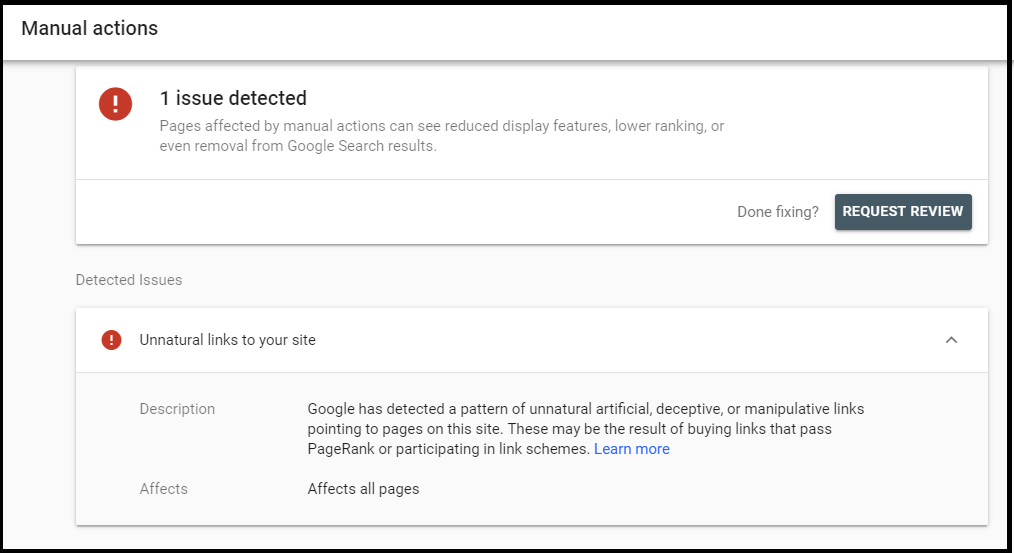
Before starting a backlink audit, the first thing to check is whether Google has already flagged your site.
There are two situations where a backlink audit becomes necessary:
- Google Search Console shows a manual action for unnatural links pointing to your website.
- There is no manual action, but you notice serious ranking drops, traffic decline, or other red flags like sudden backlink spikes or unnatural anchor text patterns.
In both cases, the next step is to export your backlink data and review the full picture.
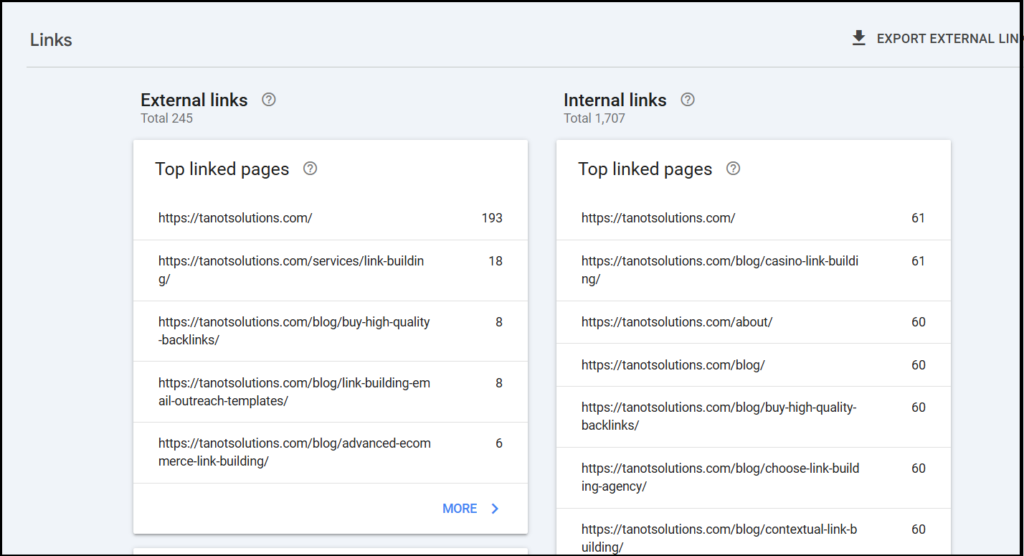
You can export all the links from Google Search Console and add them to a spreadsheet.
Or, use tools like Ahrefs, Semrush, and Moz to help surface broader link patterns and additional referring domains.
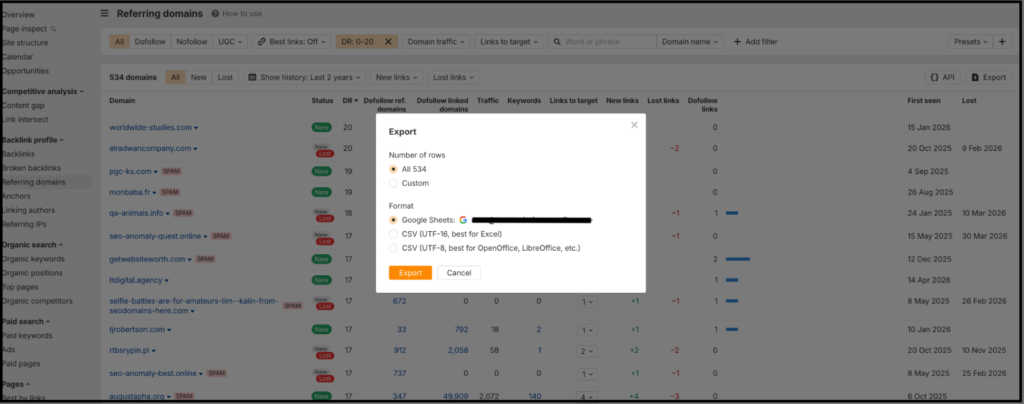
Filtering backlinks using DR on Ahrefs to find spammy links and exporting them to a Google sheet
No single tool shows everything, so cross-checking across platforms helps build a clearer and more reliable view of your backlink profile.
When exporting your data, focus on:
- Referring domains
- Linking pages
- Anchor text
- Link type
- Follow vs nofollow status
- Domain authority and traffic indicators
This becomes your working list for the audit.
Step 2: Review link relevance and quality
Once the list is exported, the next step is judgment. Ask three simple questions:
- Is the linking site relevant to your industry?
- Does the page have real traffic, useful content, and editorial standards?
- Would this link make sense to a human reader?
For instance, a law firm getting links from a toddler-related website creates obvious relevance problems.
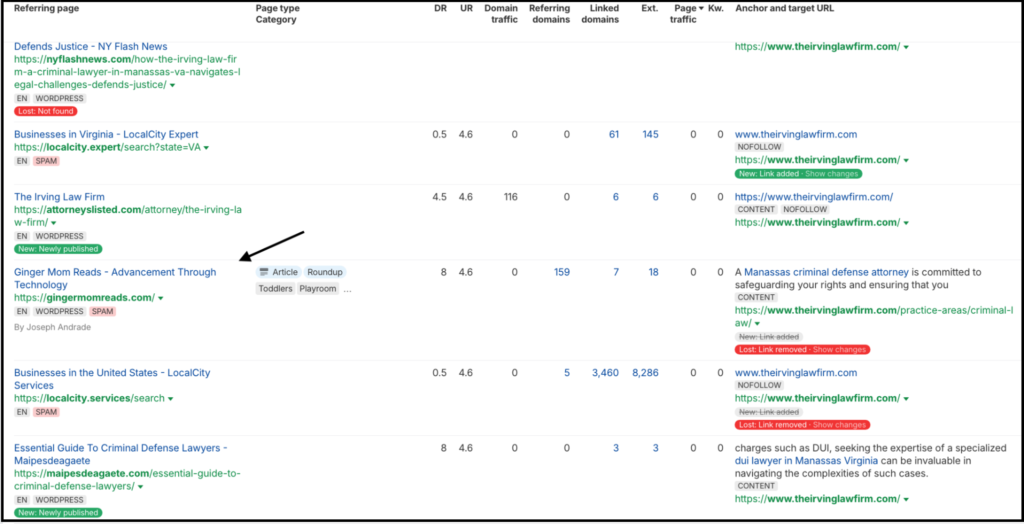
Even if those sites show strong authority metrics, the context does not make sense.
Search engines increasingly evaluate whether a link belongs naturally inside a topic, not just whether the domain has a strong DR score. Relevance is often more important than raw authority.
Step 3: Analyze anchor text and link patterns
Anchor text tells search engines what the linked page is about, but over-optimization creates risk.
A healthy backlink profile usually includes branded anchors, naked URLs, and natural mentions.
A risky profile often shows:
- Excessive exact-match commercial keywords
- Identical anchor text repeated across dozens of domains
- Sudden spikes in backlinks within a short period
- Multiple links from websites hosted on similar IP ranges
These patterns suggest manipulation rather than natural authority building.
Google is less concerned with one exact-match link and far more concerned with repeated patterns that look engineered.
Step 4: Categorize links by risk
Once reviewed, sort backlinks into three groups:
Safe — Relevant, natural, and editorially placed links that support authority.
Suspicious — Links that look weak or irrelevant but may not require immediate action.
Toxic — Clearly manipulative, spam-driven, or harmful links that create trust issues.
This step prevents overreaction because not every suspicious link needs removal. Some weak links are simply ignored by Google and do not justify aggressive cleanup.
The priority should always be the links most likely to distort the overall backlink profile.
Step 5: Decide whether to remove or disavow
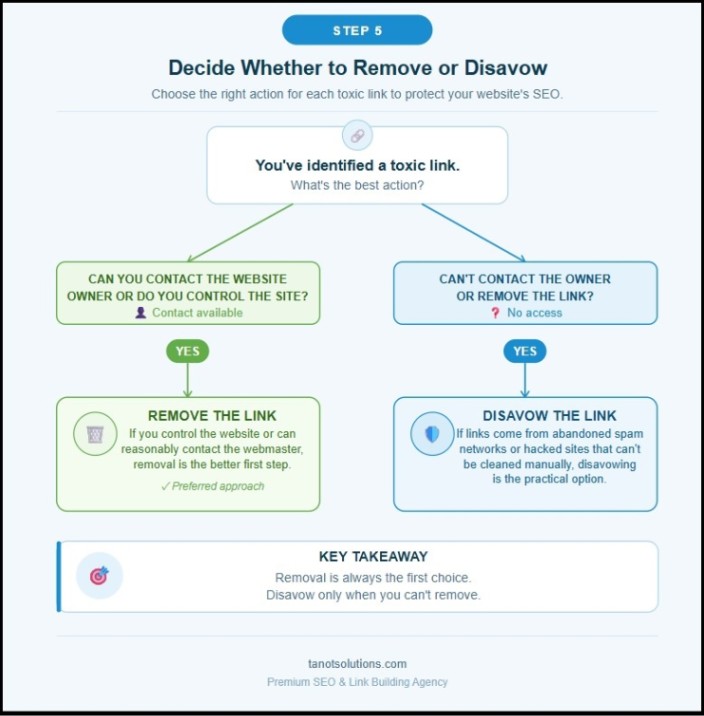
After identifying toxic links, decide on the right action.
If you control the website or can reasonably contact the webmaster, removal is the better first step.
If the links come from abandoned spam networks, hacked websites, or old agency-created link schemes that cannot be cleaned manually, disavowing becomes the practical option.
However, it’s important to note that disavowing good links can hurt your SEO.
How to Use the Google Disavow Tool Safely
The Google Disavow Tool allows you to tell Google not to consider specific backlinks when evaluating your website.
It is not a shortcut for fixing every backlink issue, and it should only be used after a proper audit.
Google itself has repeatedly explained that many low-quality links are ignored automatically.
“Most websites do not need to worry about toxic links. It’s something that our systems, when they run across links that they think are bad, we will primarily ignore them.”
The disavow tool is mainly useful when there is a clear pattern of manipulative links, especially from older SEO campaigns or manual action situations.
The process is simple:
1. Create a disavow file
Prepare a simple .txt file listing the domains or URLs you want Google to ignore.
2. Prefer domain-level disavows
In most cases, disavowing the entire domain is safer because spam usually exists across the full site, not just one page.
3. Format the file properly
Add one URL or one domain per line in the text file. If you want to disavow an entire website, use domain: before the domain name. This is usually the better option when the whole site looks spammy.
If only one specific page is problematic and the rest of the website is trustworthy, you can disavow just that individual URL instead.
| For example :# One page to disavow https://spamwebsite.com/bad-page.htm l# One domain to disavow domain:spamwebsite.com |
4. Upload through Google Search Console
Once the file is ready, submit it using the Google Disavow Tool inside Search Console.
Common Mistakes When Using the Google Disavow Tool
The Google Disavow Tool can protect your SEO when used correctly, but using it blindly can do more harm than good. Before uploading any disavow file, it’s important to avoid these common mistakes.
- Disavowing good links by mistake
Some businesses panic when they see unfamiliar domains and remove links that are actually helping the authority. A smaller industry site may look weak on paper but still be highly relevant and valuable.
- Overreacting to harmless spam
Most websites naturally attract random low-quality backlinks over time, and Google often ignores these automatically. Disavowing every weak-looking link wastes effort and can create unnecessary risk.
- Using the tool without a proper backlink audit
Disavow should be the final step, not the starting point. Without reviewing relevance, anchor patterns, and overall link quality first, businesses often end up solving the wrong problem.
Toxic Backlinks Are Fixable if You Act Strategically
Toxic backlinks can hurt rankings, weaken trust signals, and reduce your visibility across both search engines and AI-powered platforms, but they are fixable.
It starts with understanding which backlinks are actually creating risk and taking the right action. That could mean removing them, disavowing them, or strengthening your profile with better links.
If your backlink profile contains years of questionable links, removing harmful backlinks is only the first step.
Tanot Solutions helps businesses audit risky links and replace them with relevant, authority-building backlinks that are approved by you before they go live.
Instead of volume-driven link building that creates long-term SEO problems, we focus on strategic, white-hat placements designed for sustainable growth.
If you want to clean up your backlink profile and build safer authority that compounds over time, contact us today.